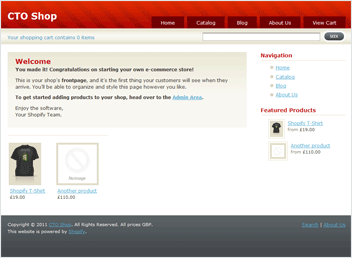
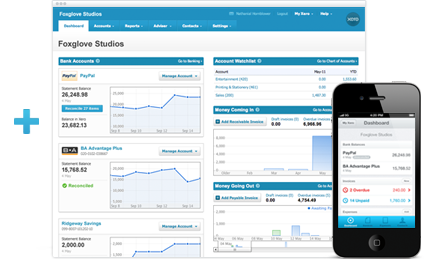
Import Sales from Shopify into your Xero Accountancy Software.
In essence: The integration imports your Shopify Sales as Accounts Receivable Invoices in Xero
Here are just a few of the benefits & features of our Xero integration with Shopify:
- Automatically Import Orders and Customer Information into Xero in Real-Time
- Full, Comprehensive Tax Support - US and Canada Sales Tax and County/Municipal/Provincial Tax, Australian & New Zealand GST, UK & European VAT, etc.
- Automatically Apply Payments to Invoices created
- Automatically Imports Payment Fees (feature available for most payment providers, including Shopify Payments/Stripe and PayPal)
- Full Support for Shopify POS
- Automatically Imports/Matches Products*
- Automatically Imports/Matches Customers*
- Compatible with Tracked Inventory - stock of tracked items is reduced accordingly when invoices are approved (two-way inventory synchronisation coming soon)
- Multiple Currency Support
- Set Xero Sales Account (Nominal Code) According to Product Type
- Set Xero Tracking Category Options
- Full Support for Shopify Discount Vouchers and Coupons
- Special Support for Gift Cards!
- Extensive yet easy configuration (with contextual help) - additional options include: option to select sales account depending on the type of invoice line (revenue, shipping, discounts); option to prevent automatic invoices and/or payments for certain payment methods; for every payment method: option to choose the Xero bank account with which to register payments and optionally specify different accounts for different currencies, option to apply a clearing delay to payments; etc.
- Invoices are intelligently matched to existing customer records or new customer records are created on the fly.
- Reconcile payments from Xero's PayPal Importer and Bank Feeds with your invoices.
- FREE Full support and automatic upgrades.
(*Imported or matched as necessary on-the-fly as orders are imported.)
You can start a FREE 30 day trial by signing up to Carry The One and following the installation instructions within your account:
|
What is Xero?
Xero is easy to use online accounting software that’s designed specifically for small businesses.
- It's all online, so you can work when and where you want to. Just login with your PC, Mac or mobile.
- Your bank statements are automatically imported and categorized, letting you see your cashflow in real-time.
- Invite your team and work together on financials. You can collaborate over your up-to-date numbers.
- Xero has all you need to run your business – including invoicing, paying bills, sales tax returns, reporting and much more.
Find out more or try Xero Accounting Software for free.
How to connect
Connecting Shopify with Xero is easy using CarryTheOne's integration service:
- Sign up for CarryTheOne's integration service
- Proceed to create your CarryTheOne Control Panel account
- From your Control Panel account, click 'add a new integration'
- Select Shopify as the export app and follow the instructions to connect Shopify
- Once Shopify is connected, you will then be taken to Xero. Enter your login details and click to authorise the integration.
- After authorisation, you will be taken to CarryTheOne's Configuration Panel where you can configure your integration (contextual help is provided)
...but don't worry, you don't have to remember all of that, support is provided every step of the way.
|
|